

TBOX mechanical timer
The TBOX Mechanical Timer is a 24-hour analogue timer switch that lets you set the on and off periods for a connected device in advance. It operates on a 230 V AC / 50 Hz mains supply and has a stated maximum load of 3500 W.
| TBOX Mechanical Timer – Product Specifications | |
|---|---|
| Brand | TBOX |
| Type | Mechanical analogue timer switch |
| Mains voltage | 230 V AC |
| Mains frequency | 50 Hz |
| Maximum load | 3500 W |
| Timer cycle | 24 hours |
| Minimum switching interval | 15 minutes |
| IP rating | IP20 |
| Operating environment | Indoors, in a dry location protected from water |
| Load recommendation | Connecting more than two lighting units is not recommended. |
| Product number | TBOX-W3500 |
| Manufacturer |
Urban Garden
Urban Garden Kft. |
| Weight | 0.18 kg |
Product description

TBOX Mechanical Timer – simple scheduling for everyday operation
The TBOX Mechanical Timer is a 24-hour analogue time switch that lets you set the on and off periods for a connected device in advance. It is a useful option when you want to run a device on the same schedule every day, provided the device is suitable for timed switching of its mains power supply.
You can set the programme directly on the dial in 15-minute switching increments. This makes it easy to choose the daily operating periods and reduces the need for regular manual switching.
The timer operates on a 230 V / 50 Hz mains supply and has a specified maximum load of 3500 W. When selecting connected equipment, take both its power consumption and its starting load into account.

24-hour programme with 15-minute settings
The mechanical dial covers a full day. Its switching segments let you select the periods during which the connected device receives power. The daily programme repeats until you change it, as long as the timer has a continuous power supply.
The minimum switching interval of 15 minutes lets you arrange daily operation in quarter-hour increments. The dial provides a clear overview, making it easy to check and adjust the daily programme.
- 24-hour mechanical timing for a repeating daily schedule.
- 15-minute switching increments for setting operating periods.
- Direct analogue adjustment using the timer dial.
- 230 V / 50 Hz mains operation.
- IP20 rating for placement in dry indoor areas.
Load capacity and lighting control
As well as the specified maximum load of 3500 W, the starting current of connected devices must be taken into account. The current surge when lighting equipment switches on can place greater stress on the timer's switching contacts than normal continuous operation.
For this reason, the manufacturer does not recommend connecting more than two lighting units, as the starting current surge may damage the timer. This recommendation alone does not mean that any two lamps can be connected safely: their combined power consumption and starting characteristics must also be checked.
How to use the timer
- Check the device you want to connect. Make sure it is suitable for timed switching of its mains power supply and that its load is within the timer's limits.
- Set the current time. With the timer unplugged, align the current time on the dial with the time indicator on the device.
- Select the operating periods. Set the switching segments in 15-minute increments, following the markings on the device.
- Select timed operation. Set the operating mode to automatic timing according to the device markings, then connect the equipment to the timer and plug the timer into the mains supply.
- Check the switching times. On first use, make sure the device switches on and off at the intended times.
After a power cut or an extended period without power, check the current time setting and the daily programme before relying on the usual schedule again.
IP20 rating – for dry indoor use
The IP20 rating does not provide protection against water ingress. Use the timer in a dry indoor location, protected from irrigation water, splashes and condensation.
- Do not exceed the specified load capacity.
- Do not place the timer where water could reach it or collect around it.
- Handle the device and its connectors with dry hands.
- Stop using the timer if it is damaged, becomes unusually hot or switches unreliably.
Cleaning and storage
Before cleaning, unplug the timer from the mains and disconnect the attached device. Wipe the exterior with a soft, dry cloth; do not immerse it in water or allow liquid to enter the openings.
Store the timer in a dry place when not in use. Before using it again, check the condition of the housing, connectors and programming dial.
Technical specifications
| Brand | TBOX |
|---|---|
| Product | TBOX Mechanical Timer |
| Type | Mechanical analogue time switch |
| Mains voltage | 230 V AC |
| Mains frequency | 50 Hz |
| Specified maximum load | 3500 W |
| Timing cycle | 24 hours |
| Minimum switching interval | 15 minutes |
| Adjustment | Mechanical timer dial with switching segments |
| IP rating | IP20 – no protection against water ingress |
| Placement | In a dry indoor location, protected from water and condensation |
| Lighting load recommendation | Connecting more than two lighting units is not recommended. |
Why choose the TBOX Mechanical Timer?
The TBOX Mechanical Timer offers a straightforward way to manage repeating daily on and off periods. The 24-hour dial and 15-minute settings let you adjust the operation of your equipment to the daily schedule you need.
If you are looking for an easy-to-use analogue time switch and your connected equipment meets the load requirements, the TBOX is a practical way to replace regular manual switching.
Related Products



 -23%
-23%
Yallah Haze - Illuminati Lost Seeds

 -44%
-44%
Pirate Pie - Illuminati Lost Seeds
Share your experience, write a review.














.jpg)




.jpg)







TBOX mechanical timer

 -16%
-16%
Grape Venom Cannabis Clone


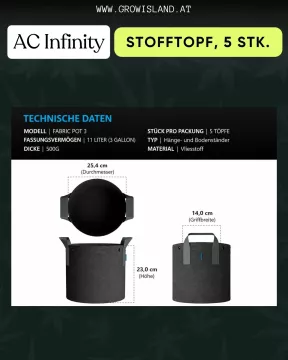
AC Infinity fabric pot 5 pcs

 -19%
-19%
Compact gravity infuser, black


 -30%
-30%
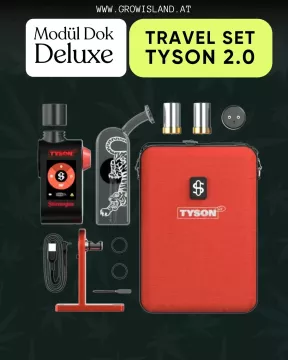
Modül Dok Deluxe Travel Set Tyson 2.0

 -14%
-14%
Solo III Version 1 Vaporizer









 -9%
-9%
Airizer XQ2 Vaporizer

 -8%
-8%
Veazy Dynamic Blue Vaporizer






AK-74 / AUTO / Trikoma Seeds




The Palmar / FEM / Trikoma Seeds






Patagonia / FEM / Trikoma Seeds


Jack Herer / FEM / Trikoma Seeds




Malquerida / FEM / Trikoma Seeds


Boca Negra / FEM / Trikoma Seeds




AK-74 / FEM / Trikoma Seeds


Gelato / FEM / Trikoma Seeds

 -24%
-24%
Secret Jardin Power Pack LED Vollspektrum 250W 3.01


VOVA Vaporizer

 -32%
-32%
Puffco Peak Vaporizer


 -29%
-29%
5 Zombie Snack Auto Mix Pack / Auto / Illuminati Lost Seeds


 -15%
-15%
Sleepy Pack / Fem / Illuminati Lost Seeds


 -26%
-26%
Inferno ACE / Fem / Illuminati Lost Seeds


AlienZ / Fem / Green House Seeds


 -12%
-12%
Urban Garden Q200 LED 36x36cm Full Spectrum 200W 2.8

 -8%
-8%
DynaVap The M7 XL Stealth

 -8%
-8%
Veazy Inspiring Orange Vaporizer


DynaVap The M7


Tightvac 11x1 cm Tightpacs


Microscope Mini 100x with light




Hawaii Maui Waui / FEM / Nirvana



 -30%
-30%
Banana Runtz / FEM / Barney's Farm

 -30%
-30%
Durban Z / FEM / Barney's Farm

 -30%
-30%
Durban Poison / FEM / Barney's Farm

 -30%
-30%
London Pound Cake / FEM / Barney's Farm

 -30%
-30%
MAC 1 / FEM / Barneys Farm

 -30%
-30%
RS11 / FEM / Barney's Farm

 -30%
-30%
Thin Mint Frosting / FEM / Barney's Farm


Studio 54 pre-grown hemp plant







 -13%
-13%
Blue Zushi pre-grown hemp plant






Banoreoz pre-grown hemp plant





 -10%
-10%
Smackerz pre-grown hemp plant



 -2%
-2%
Sangria - Aficionado Seed Collection / hemp plant

 -44%
-44%
Pirate Pie - Illuminati Lost Seeds

 -50%
-50%
Akathcuki Jutsu - Illuminati Lost Seeds

 -23%
-23%
Yallah Haze - Illuminati Lost Seeds

 -27%
-27%
Zuviel OG - Illuminati Lost Seeds


Blue Monkey hemp plant

 -15%
-15%
Fizzy Bubblegum hemp plant


Jokerz 31 pre-grown hemp plant



 -3%
-3%
The Queen S1 cannabis clone


Runtz cannabis clone

 -25%
-25%
Colorado Nightshifter cannabis clone

 -25%
-25%
Blue Zushi TenCo Cut Cannabis Clone


 -11%
-11%
Snow White cannabis clone


Monster Maker Cannabis clone


Shiatsu Kush cannabis clone


 -32%
-32%
Illuminati Lost Seeds / FEM / Win Gardumim Leviosa

 -11%
-11%
Banana Runtz hemp plant

 -15%
-15%
Super Buff Cherry 26 GMSL cut hemp plant


Amnesia Gold hemp plant

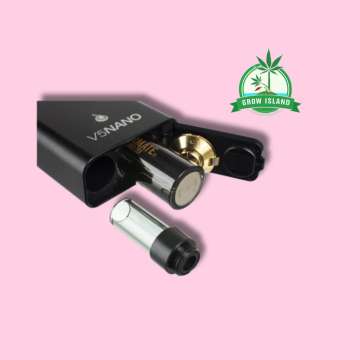
Flowermate V5 Nano Vaporizer


Sour Ripper hemp plant


Pink Payton hemp plant


Zoap hemp plant


Khalifa Kush hemp plant


Sleepy Joe pre-grown hemp plant





Power Plant pre-grown hemp plant

Candy Store pre-grown hemp plant

 -11%
-11%
Lumen King Light Fixture 720W LED Eco Line

 -8%
-8%
Lumen King Light Fixture 400W LED Eco Line

 -38%
-38%
Canna Terra Easybox


Animal Tsunami hemp plant


Bio Tabs - Perfect Plant Pack
 -27%
-27%
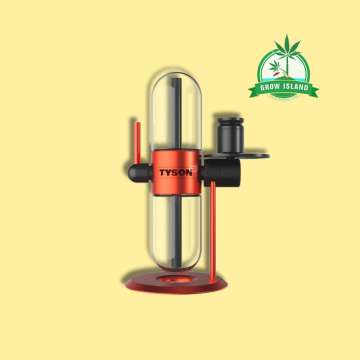
Tyson 2.0 x Stündenglass Gravity Infuser


Blockberry hemp plant
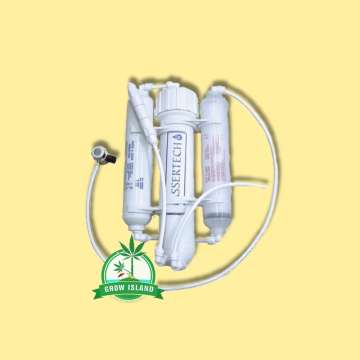
Osmosis filter

 -6%
-6%
VENTY Vaporizer


SANlight Stixx 50 LED modul 50W






AK47 pre-grown hemp plant


Gelato 45 pre-grown hemp plant





VapoCane Fusion Set
 -13%
-13%
Trimming bag-Drytrim

HortiLight Green Led headlight


Banoreoz hemp plant





 -11%
-11%
MAC 1 (Capulator cut) hemp plant


Sweet Seeds / FEM / Psicodelicia









Sweet Seeds / FEM / Do-Sweet-Dos


Cap Junky hemp plant






Fast Buds / FEM / Lemon Mandarin

Fast Buds / FEM / Papaya Sherbet

Fast Buds / FEM / Rainbow Melon

Fast Buds / FEM / Gorilla Melon
 -20%
-20%
Dutch Passion / FEM / Melonade Runtz
 -29%
-29%
Dutch Passion / FEM / Lemon Z

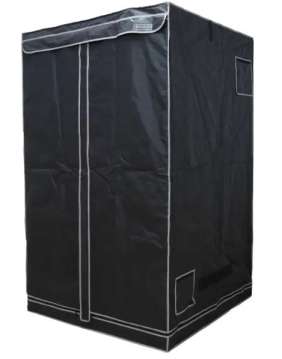 -18%
-18%
Pure Tent V2.0 120x120x200


Sleepy Joe hemp plant




 -16%
-16%
Dantes Inferno 8 (Milehighdave Cut) hemp plant


Strawberry Banana hemp plant


Super Orange Glue hemp plant


Fast Buds / AUTO /Apple Strudel








Anesia Seeds / FEM / Cash Cow


Anesia Seeds / FEM / Nova OG

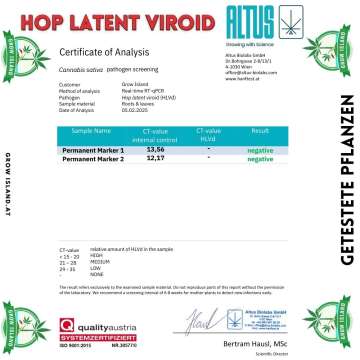
Permanent Marker hemp plant


Wedding Cake hemp plant


White Satin hemp plant


Super Lemon Haze hemp plant


Critical Plus 2.0 hemp plant


Bubba Kush hemp plant





Customer Reviews
No review has been published yet...